
# 遷移至 Wings
本指南適用於想從舊版 Node.JS Daemon 遷移至 Wings 的使用者。如果你要在新節點上首次安裝 Wings, 請參閱安裝指南。
Panel Version Requirement
你必須執行 Pterodactyl Panel 1.X,才能使用 Wings。
執行此流程時會有一段短暫的離線時間,但不會影響正在執行的遊戲程序。此外,Panel 很可能在此期間離線或處於維護模式, 因此使用者應該不會察覺異常。
# 安裝 Wings
安裝 Daemon 的第一步,是確認已建立必要的目錄結構。請執行下方命令建立基礎目錄並下載 Wings 執行檔。
mkdir -p /etc/pterodactyl
curl -L -o /usr/local/bin/wings https://github.com/pterodactyl/wings/releases/latest/download/wings_linux_amd64
chmod u+x /usr/local/bin/wings
# 複製新的設定檔
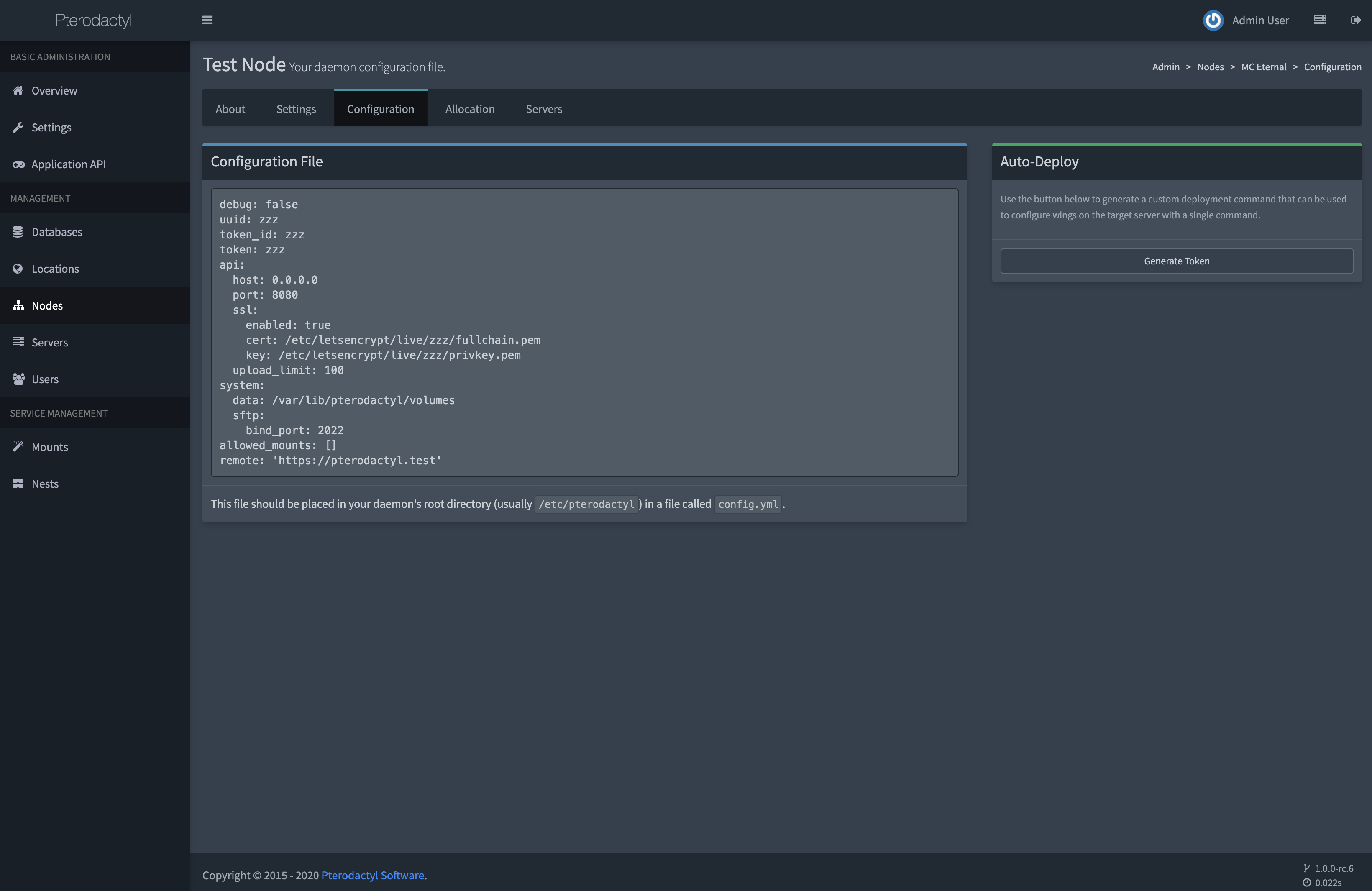
安裝 Wings 後,需要從 Panel 複製新的設定檔。此檔案採用新格式,未來應更容易管理與編輯。
請將程式碼區塊複製並貼到 /etc/pterodactyl 目錄中名為 config.yml 的檔案,然後儲存。
WARNING
請注意,你先前對設定所做的任何修改都會因此遺失。如果曾修改預設設定,最佳做法是先使用複製的設定啟動一次 Wings, 讓它自動填入其他設定值。
之後即可依需求進行調整。
# 移除舊 Daemon
現在 Wings 已安裝完成,需要移除伺服器上不再使用的舊 Daemon 程式碼。假設舊 Daemon 位於預設的 /srv/daemon 目錄,
請執行以下命令:
# Stop the old daemon.
systemctl stop wings

# Delete the entire directory. There is nothing stored in here that we actually need for the
# purposes of this migration. Remember, server data is stored in /srv/daemon-data.
rm -rf /srv/daemon

# Optionally, remove NodeJS from your system if it was not used for anything else.
apt -y remove nodejs # or: yum remove nodejs
# 移除獨立 SFTP
如果舊 Daemon 使用過獨立 SFTP 伺服器,也需要移除其 systemd 服務,因為它已不再需要。 請執行以下命令:
# stop and disable the standalone sftp
systemctl disable --now pterosftp

# delete the systemd service
rm /etc/systemd/system/pterosftp.service
# 將 Wings 以 Daemon 執行
接著需要編輯現有的 Wings systemd 服務檔案,使其指向新的控制軟體。請開啟 /etc/systemd/system/wings.service,
將檔案全部內容替換為以下內容:
[Unit]
Description=Pterodactyl Wings Daemon
After=docker.service

[Service]
User=root
WorkingDirectory=/etc/pterodactyl
LimitNOFILE=4096
PIDFile=/var/run/wings/daemon.pid
ExecStart=/usr/local/bin/wings
Restart=on-failure
StartLimitInterval=600

[Install]
WantedBy=multi-user.target
接著啟動 Wings。
systemctl daemon-reload
systemctl enable --now wings
如果 Wings 無法啟動怎麼辦?
如果此時遇到 Wings 啟動問題,請執行以下命令直接啟動 Wings,並查看具體的錯誤輸出。
sudo wings --debug